
Staying connected while travelling in Saudi Arabia is no longer a hassle. An eSIM lets you activate a mobile data plan before you even board your flight — no queuing at airport kiosks, no passport photocopies, and no fumbling with tiny SIM trays. This guide, part of our comprehensive Saudi Arabia Travel Guide 2026, compares the best eSIM providers for Saudi Arabia, breaks down exactly what each plan costs, explains which local networks you will connect to, and walks you through setup on both iPhone and Android. Whether you are visiting Riyadh for business or exploring Jeddah and the Red Sea coast, the right eSIM will keep you online from the moment you land.
Best Overall Provider: Airalo (widest plan range, strong 5G on Zain)
Best for Unlimited Data: Holafly (unlimited plans from $19 for 5 days)
Starting Price: From ~$4.50 for 1 GB / 7 days (Airalo)
Networks: STC, Mobily, Zain (all three support eSIM traveller plans)
Visa Required: Yes — tourist e-visa for most nationalities
Setup: Scan a QR code in your phone settings — takes under 5 minutes
Avoid: Buying roaming add-ons from your home carrier (often 5–10x the cost of an eSIM)
What Is an eSIM and Why Use One in Saudi Arabia?
An eSIM (embedded SIM) is a digital SIM built into modern smartphones. Instead of inserting a physical card, you download a mobile plan by scanning a QR code or tapping a link in an app. The eSIM connects to a local network in Saudi Arabia — typically STC, Mobily, or Zain — and gives you mobile data at local speeds.
For travellers heading to Saudi Arabia, an eSIM solves three problems at once:
- No registration headaches. Saudi Arabia requires real-name registration (including fingerprint scans) for all local prepaid SIM cards. International eSIM providers bypass this entirely — you purchase and activate online with no biometric enrollment.
- Instant connectivity on arrival. You can install your eSIM profile days before your trip and activate it the moment you land. No waiting in airport queues.
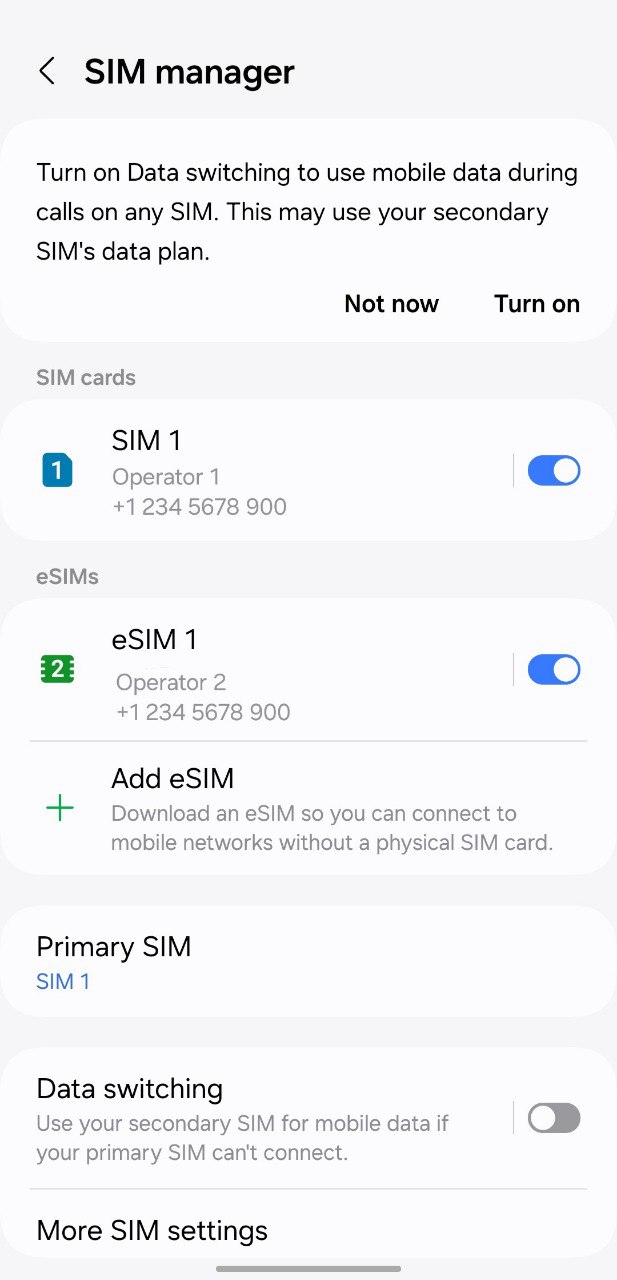
- Keep your home number active. Your existing physical SIM stays in the primary slot. The eSIM runs as a second line for data only, so you still receive calls and texts on your regular number (via Wi-Fi calling or when back in range).
- iPhone: iPhone XS, XR, and all later models (2018 onwards). Note that iPhones purchased in mainland China generally do not support eSIM.
- Samsung Galaxy: Galaxy S20 and later, including S21, S22, S23, S24, S25 series, and Z Fold/Z Flip models. Devices purchased in China, Hong Kong, or Taiwan may not support eSIM.
- Google Pixel: Pixel 2 and all later models.
- Other brands: Many recent Motorola, OnePlus, Xiaomi, OPPO, and Huawei models also support eSIM — check your manufacturer’s specifications.
- Go to Settings > Cellular > Add Cellular Plan (or Add eSIM on newer iOS versions).
- Scan the QR code provided by your eSIM provider.
- Follow the on-screen prompts. Label the new plan (e.g., “Saudi Data”) for easy identification.
- When asked, set this line as your default data line for travel, or switch it manually on arrival.
- Go to Settings > Network & Internet > Mobile Network (or Connections > SIM Manager on Samsung).
- Tap Add Mobile Plan or Add eSIM.
- Scan the QR code from your provider.
- Follow the on-screen instructions to label and configure the plan.
- Turn off Airplane Mode.
- Go to your phone’s cellular/mobile data settings.
- Select your eSIM line as the active data connection.
- Turn off data roaming on your primary (home) SIM to avoid unexpected charges.
- Your eSIM should connect to a local network (STC, Mobily, or Zain) within seconds.
- Download offline maps before you go. Google Maps and Maps.me both support offline maps for Saudi Arabia. This saves significant data, especially if you are driving between cities.
- WhatsApp works perfectly. WhatsApp voice and video calling is widely used in Saudi Arabia and works over your eSIM data connection. It is the most common way locals communicate, so you will find it useful for everything from restaurant bookings to hotel inquiries.
- VPN considerations. Some VoIP services may experience intermittent restrictions in Saudi Arabia. A VPN can help — Saily’s built-in protection is one option, or install a standalone VPN app before your trip.
- Turn off automatic updates. Disable app auto-updates and iCloud/Google Photos backup over cellular data. A single iOS update can consume several gigabytes.
- Hotspot limitations. Most travel eSIMs allow hotspot/tethering, but some limit speeds or daily allowances. Holafly, for example, includes 500 MB of hotspot data per day. Check your plan’s terms if you need to share data with a laptop or travel companion.
- Top up before running out. If you are nearing your data limit, most providers let you purchase an additional plan through their app. Do this before your existing plan expires to avoid any gap in connectivity.
- Emergency calls still work. Even if your eSIM data plan expires, emergency calls (911 in Saudi Arabia, or 999/112 from a mobile) will still connect through any available network.
- Saudi Arabia Travel Guide 2026 — The complete guide to visiting the Kingdom
- Saudi Arabia Visa Guide — Every visa type explained
- Saudi Riyal: Currency Guide — Exchange rates and how to get the best deal
- Travel Insurance for Saudi Arabia — What you need and best providers
- Saudi Arabia Customs Rules — What you can and cannot bring in
- Riyadh Travel Guide — Complete guide to the Saudi capital
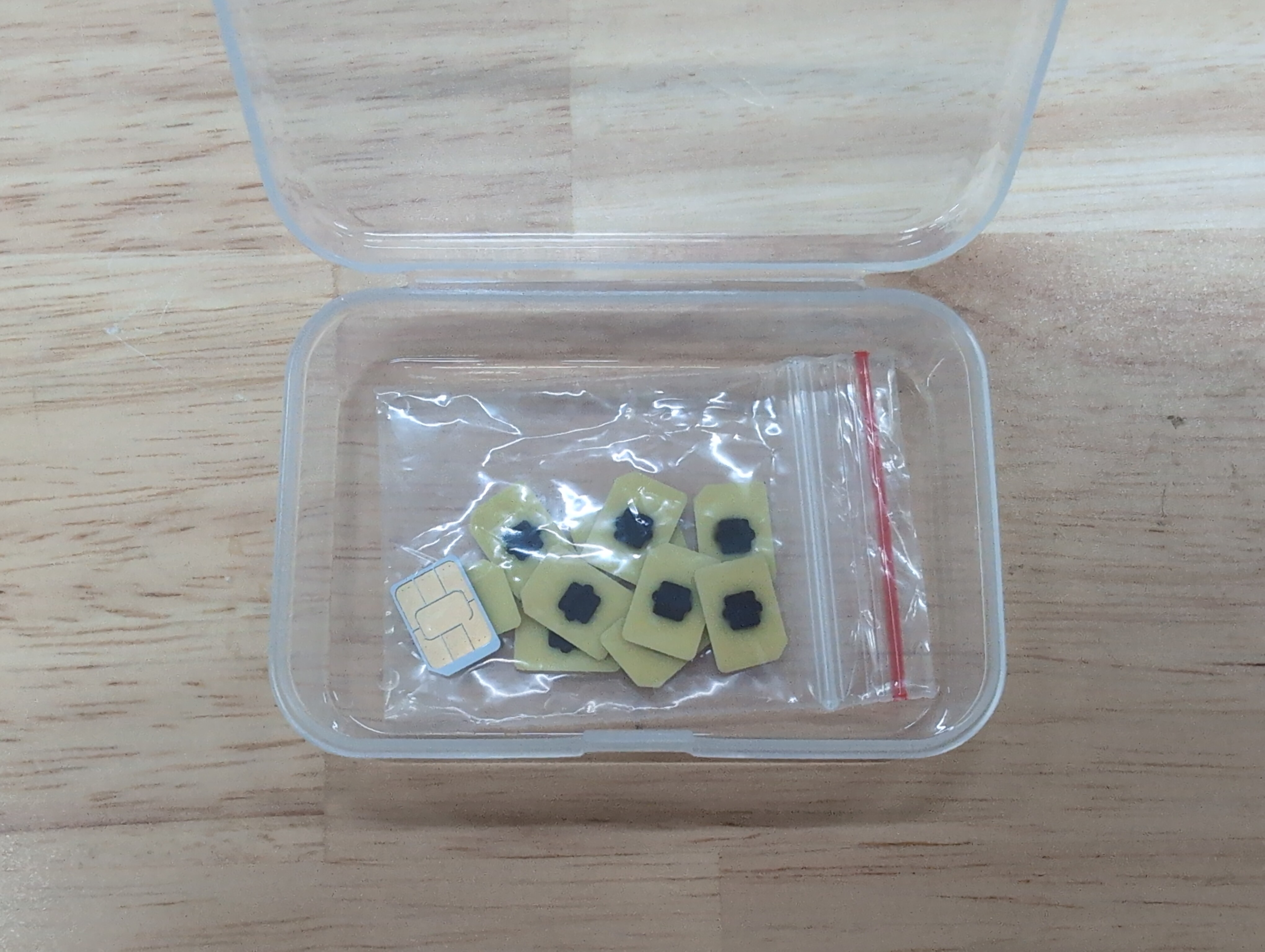
Best eSIM Providers for Saudi Arabia in 2026
We compared the leading international eSIM providers based on price per GB, plan flexibility, network quality, and ease of use. All prices below are in US dollars and were verified at the time of writing — check each provider’s site for current rates before purchasing.
Provider Comparison Table
| Provider | Data | Validity | Price (USD) | Per GB | Network | Key Feature |
|---|---|---|---|---|---|---|
| Airalo | 1 GB | 7 days | ~$4.50–5.50 | ~$4.50–5.50 | Zain (5G) | Cheapest entry plan |
| Airalo | 5 GB | 30 days | ~$16 | ~$3.20 | Zain (5G) | Good mid-range value |
| Airalo | 20 GB | 30 days | ~$40 | ~$2.00 | Zain (5G) | Best for heavy users |
| Holafly | Unlimited | 5 days | ~$19 | N/A | STC / Mobily | Unlimited data, no caps |
| Holafly | Unlimited | 10 days | ~$34 | N/A | STC / Mobily | Best for 1–2 week trips |
| Holafly | Unlimited | 20 days | ~$54–64 | N/A | STC / Mobily | Long stays, unlimited peace of mind |
| Nomad | 1 GB | 7 days | ~$5 | ~$5.00 | Varies | Free 1 GB trial for new users |
| Nomad | 20 GB | 30 days | ~$30–35 | ~$1.50–1.75 | Varies | Strong per-GB value |
| Saily | 1 GB | 7 days | ~$4.49 | ~$4.49 | Varies | Built-in ad blocker (NordVPN) |
| Saily | 10 GB | 30 days | ~$16–20 | ~$1.60–2.00 | Varies | Security-focused, NordVPN integration |
| Gohub | Various | 10–30 days | Varies | Competitive | Local infrastructure | Good coverage in Makkah / Madinah |
Tip: Prices fluctuate and providers run promotions frequently. Always check the provider’s website directly before purchasing. The prices above were verified in early 2026 but may have changed since.
Airalo — Best Overall for Saudi Arabia
Airalo is the world’s first and largest eSIM marketplace, offering dedicated Saudi Arabia plans under the “Saudi Connect” brand. Plans range from 1 GB (7 days, ~$4.50–5.50) up to 20–25 GB (30–45 days, ~$40–49). Airalo’s Saudi eSIMs connect primarily to Zain’s 5G network, delivering strong speeds in Riyadh, Jeddah, Dammam, and other major cities. All plans are data-only — no local phone number for calls or SMS — but WhatsApp, FaceTime, and other VoIP apps work perfectly over the data connection.
Best for: Travellers who want flexibility to choose exactly how much data they need at a competitive price.
Holafly — Best Unlimited Data
Holafly stands out by offering genuinely unlimited data plans for Saudi Arabia. Plans start at approximately $19 for 5 days and go up to around $54–64 for 20 days. Holafly includes up to 500 MB of hotspot data per day, 24/7 customer support, and speeds up to 5G where available. If you plan to stream video, make frequent video calls, or simply do not want to worry about data limits, Holafly is the safest bet.
Best for: Heavy data users, business travellers on video calls, and anyone who prefers not to monitor their usage.
Nomad — Best Budget Value per GB
Nomad offers one of the widest ranges of plan sizes, from 1 GB up to 50 GB. New users get a free 1 GB trial, which is enough to test coverage when you first arrive. Nomad’s larger plans — such as 20 GB for 30 days at roughly $30–35, or 50 GB at around $80 — deliver some of the lowest per-GB costs available. Some Nomad plans labelled “unlimited” actually provide 2 GB of high-speed data per day, so read the fine print carefully.
Best for: Budget-conscious travellers and digital nomads on longer trips who want maximum data for the lowest price.
Saily — Best for Security-Conscious Travellers
Saily is built by Nord Security (the company behind NordVPN). Plans for Saudi Arabia start at ~$4.49 for 1 GB. Beyond competitive pricing, Saily includes a built-in ad blocker and web protection powered by NordVPN’s Threat Protection technology. If you regularly connect to public Wi-Fi in hotels or cafes and want an extra layer of security, Saily is worth considering.
Best for: Privacy-focused travellers who want integrated security features without a separate VPN subscription.

How to Set Up an eSIM for Saudi Arabia
Setting up an eSIM is straightforward on both iPhone and Android. You can install the eSIM profile before your trip — most providers recommend doing this while you still have Wi-Fi at home — and then activate data once you arrive in Saudi Arabia.
Step 1: Check Your Phone Is Compatible
eSIM is supported on:
Important: Your phone must be carrier-unlocked to use a third-party eSIM. If your phone was purchased on a contract, confirm it is unlocked before buying an eSIM.
Step 2: Purchase Your eSIM Plan
Visit the website or app of your chosen provider (Airalo, Holafly, Nomad, Saily, or others). Select “Saudi Arabia” as your destination, choose a plan based on data amount and trip length, and complete the purchase. You will receive a QR code — either by email or within the provider’s app.
Step 3: Install the eSIM Profile
On iPhone:
On Android (Samsung, Pixel, others):
Pro tip: Install the eSIM at home over Wi-Fi a day or two before your flight. This way you can troubleshoot any issues before you are in transit. Most eSIM plans only start counting validity from the moment you first connect to a network in Saudi Arabia, not from the moment of installation.
Step 4: Activate on Arrival
When your plane lands in Saudi Arabia:
Local SIM Card vs. eSIM: Which Is Better?
Both options get you online in Saudi Arabia, but they differ in convenience, cost, and features. Here is a side-by-side comparison to help you decide.
| Feature | Travel eSIM | Local Prepaid SIM (Airport) |
|---|---|---|
| Registration | None — buy online, no ID needed | Passport + fingerprint scan required |
| Setup time | Under 5 minutes, before you travel | 15–30 minutes at airport counter |
| Availability | Purchase any time, globally | Airport kiosks at RUH, JED, DMM, MED |
| Cost (example) | ~$4.50 for 1 GB; ~$16 for 5 GB | ~SAR 40–75 (US$11–20) for 1–20 GB |
| Local phone number | No (data only) | Yes — Saudi +966 number included |
| Calls & SMS | VoIP only (WhatsApp, FaceTime) | Full local calls and SMS |
| Top-up | Buy additional plan via app | In-store or online (may need Saudi ID) |
| Keep home number | Yes — dual SIM setup | Must swap SIMs or use dual-SIM phone |
| Phone compatibility | eSIM-capable phones only (2018+) | Any unlocked phone with SIM slot |
Our recommendation: For most travellers, an eSIM is the better choice. The convenience of pre-arrival activation and zero registration outweighs the lack of a local phone number, which matters less in an era of WhatsApp and video calling. However, if you need a Saudi phone number — for example, to register for local services, book restaurant reservations via local platforms, or verify a Saudi bank account — pick up a local SIM at the airport in addition to your eSIM.
When budgeting for connectivity, don’t forget to factor in exchange rates for the Saudi Riyal. Airport SIM prices are quoted in SAR, and the Riyal is pegged to the US dollar at approximately 3.75 SAR per USD.
Network Coverage in Saudi Arabia
Saudi Arabia has three major mobile network operators, and coverage is generally excellent across populated areas.
STC (Saudi Telecom Company)
STC is the largest operator and offers the widest coverage in Saudi Arabia, reaching over 99% of the populated territory. STC provides the fastest average download speeds and the most extensive 5G network. If your eSIM connects to STC, you will have the best experience in both urban centres and remote areas, including desert highways and smaller towns.
Mobily (Etihad Etisalat)
Mobily is the second-largest operator with strong 4G/5G coverage in major cities including Riyadh, Jeddah, Dammam, Makkah, and Madinah. Mobily’s urban performance is competitive with STC, but rural coverage is more limited. Travellers staying primarily in cities will have no issues on Mobily.
Zain Saudi Arabia
Zain offers good coverage in most populated areas with a growing 5G network. Airalo’s Saudi eSIMs primarily use Zain’s 5G network, which delivers reliable speeds in cities and transport corridors. Zain’s coverage in very remote areas may be thinner than STC’s, but for standard tourist itineraries it is more than adequate.
Coverage note: If you are travelling to remote desert areas, the Empty Quarter, or off-road locations, STC gives the most reliable signal. For standard routes — Riyadh, Jeddah, the Hejaz railway corridor, AlUla, NEOM, and Eastern Province cities — all three networks perform well. Check the Saudi Arabia weather guide for seasonal travel planning that may affect your itinerary and therefore your coverage needs.
How Much Data Do You Actually Need?
This depends on your usage habits. Here is a rough guide:
| Usage Level | Daily Data | 7-Day Trip | 14-Day Trip | Suggested Plan |
|---|---|---|---|---|
| Light (maps, messaging, email) | 200–500 MB | 1–3 GB | 3–7 GB | Airalo 1–5 GB or Saily 1–3 GB |
| Moderate (social media, photos, browsing) | 500 MB–1 GB | 3–7 GB | 7–14 GB | Airalo 5–10 GB or Nomad 10 GB |
| Heavy (video calls, streaming, hotspot) | 1–3 GB | 7–20 GB | 14–40 GB | Holafly Unlimited or Nomad 20–50 GB |
Keep in mind that hotel Wi-Fi is widely available in Saudi Arabia, so you may use less mobile data than expected if you stream and download over Wi-Fi in the evenings. Make sure to also carry proof of travel insurance for Saudi Arabia — having your policy documents accessible on your phone is another good reason to stay connected.
Practical Tips for Using an eSIM in Saudi Arabia
Before packing, review the Saudi Arabia customs rules to ensure your devices and any electronics comply with import regulations.

Frequently Asked Questions
Can I use an eSIM for Hajj or Umrah?
Yes. An eSIM works in Makkah and Madinah just as it does in any other Saudi city. All three operators — STC, Mobily, and Zain — provide strong coverage around the Grand Mosque and the Prophet’s Mosque. Network congestion during peak Hajj days can slow speeds for everyone, but having an eSIM on a major network gives you the same experience as a local SIM user. Some providers like Gohub specifically market plans optimised for Hajj and Umrah pilgrimage travellers.
Do I need an eSIM if my hotel has Wi-Fi?
Hotel Wi-Fi alone is rarely enough. You will need mobile data for navigation while walking or driving, ride-hailing apps like Uber and Careem, real-time translation, and staying connected in transit. An eSIM ensures you are never without internet when you leave your hotel.
Can I make phone calls with an eSIM?
Most travel eSIMs are data-only — they do not include a Saudi phone number or traditional call/SMS capability. However, you can make calls through WhatsApp, FaceTime, Zoom, or any VoIP app over your data connection. For the rare situation where a local Saudi number is required, consider picking up a physical SIM at the airport to complement your eSIM.
What if my phone does not support eSIM?
If your phone predates 2018 or was purchased in a market that does not support eSIM (such as mainland China), your best option is a local prepaid SIM card. STC, Mobily, and Zain all have kiosks at Riyadh (RUH), Jeddah (JED), Dammam (DMM), and Madinah (MED) airports. Bring your passport — registration is mandatory. Tourist packages start from around SAR 40 (approximately $11 USD) for basic data plans.
Can I use multiple eSIMs at once?
Most modern phones support one physical SIM and one eSIM simultaneously. iPhone 13 and later models can hold two eSIMs at once. On Android, support varies by manufacturer and model. You can store multiple eSIM profiles on your phone and switch between them — useful if you are travelling to multiple countries in one trip.
Is my data secure on an eSIM?
An eSIM connection is as secure as a physical SIM connection — your data is encrypted in transit between your phone and the cell tower. For additional security on public Wi-Fi, consider using a VPN. Saily (backed by NordVPN) includes built-in web protection, or you can install any reputable VPN app.
Will my eSIM work across all of Saudi Arabia?
In cities and along major highways, coverage from all three operators is excellent. STC offers the broadest rural coverage, reaching over 99% of populated areas. If your itinerary includes very remote desert or mountain regions, check STC’s coverage map for your specific route. For standard tourist destinations — Riyadh, Jeddah, AlUla, the Red Sea coast, and Eastern Province — any eSIM provider will work well.